SpectaclAR
AR navigation on Snap Spectacles — five different ways to give someone directions without making them look at their phone.
2024-12-30
GPS navigation has not fundamentally changed in twenty years. A 2D map on a screen, turn-by-turn instructions, and a lot of looking down. For my seminar project at TU Graz, I asked whether AR glasses could do better — and what "better" actually means when the display is mounted on someone's face.
The hardware was Snap Spectacles: sunglasses with a screen embedded in each lens. The development environment was Lens Studio, using JavaScript and a scene graph loosely similar to Unity. Everything ran on-device, with no network communication and no file I/O — constraints that shaped every design decision.
The navigation problem
The core challenge was translating GPS coordinates into AR cues. Two calculations matter: the Haversine formula for great-circle distance between two points, and the forward azimuth (bearing) from the user's location to the next checkpoint. These convert raw lat/lng into distances and angles the AR system can use to orient virtual objects in the real world.
The route was a fixed walk through Graz. I placed checkpoints along the path and encoded them as geofences. After testing, 20-metre radius circles worked best — large enough to trigger reliably before the user walked past, small enough to feel accurate.
One constraint with no clean solution: the Spectacles have no compass. The system assumes the user is facing their initial direction of travel when they start the lens. A minor inconvenience in practice, but it meant the heading calculation was entirely dependent on that starting assumption.
Five navigation modes
I built and tested five distinct approaches to delivering directions.
Text prompts. The simplest: step-by-step instructions displayed as text, triggered by GPS location as the user passes each checkpoint. Clear, but it requires frequent glances at the screen.
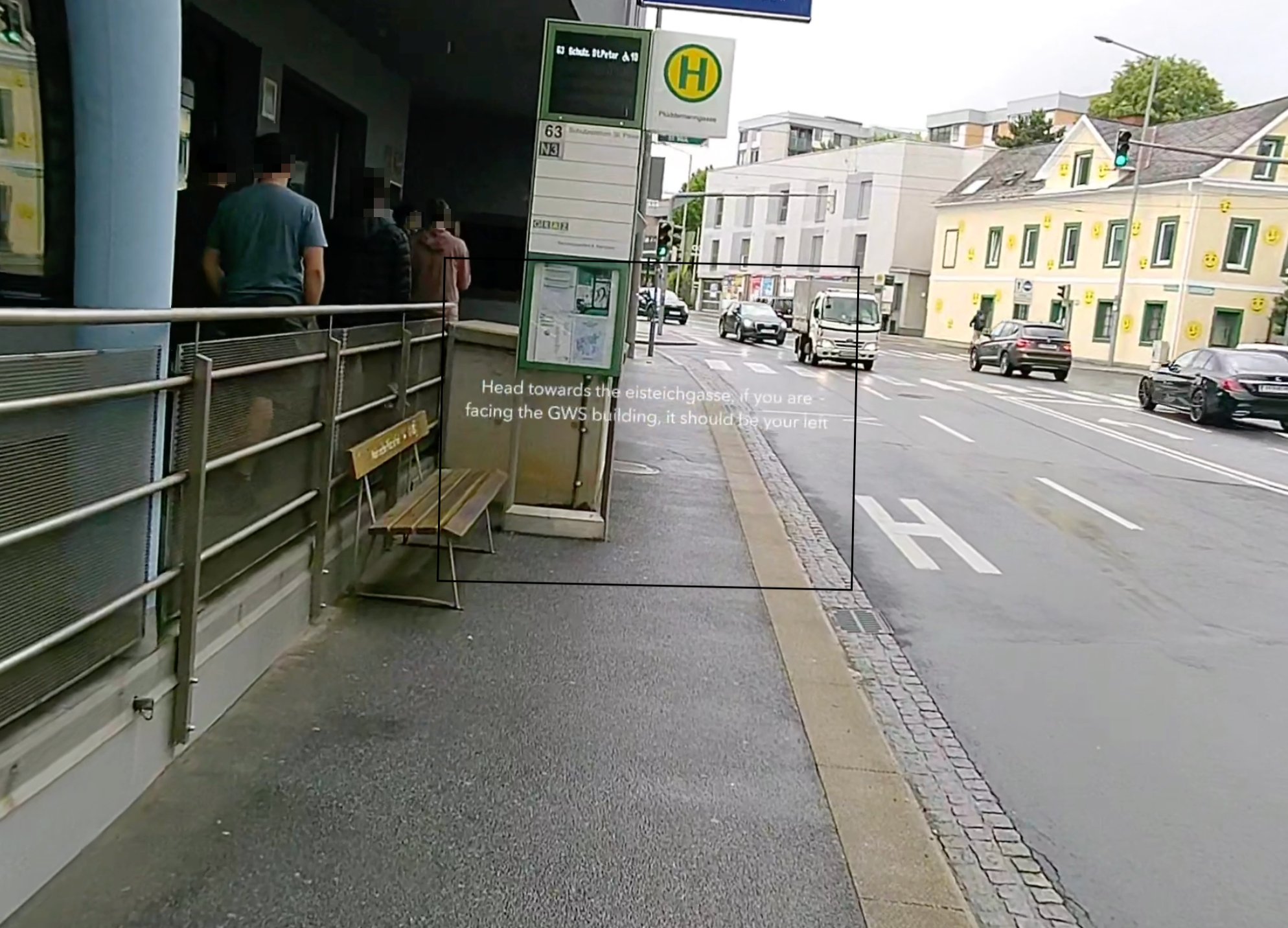
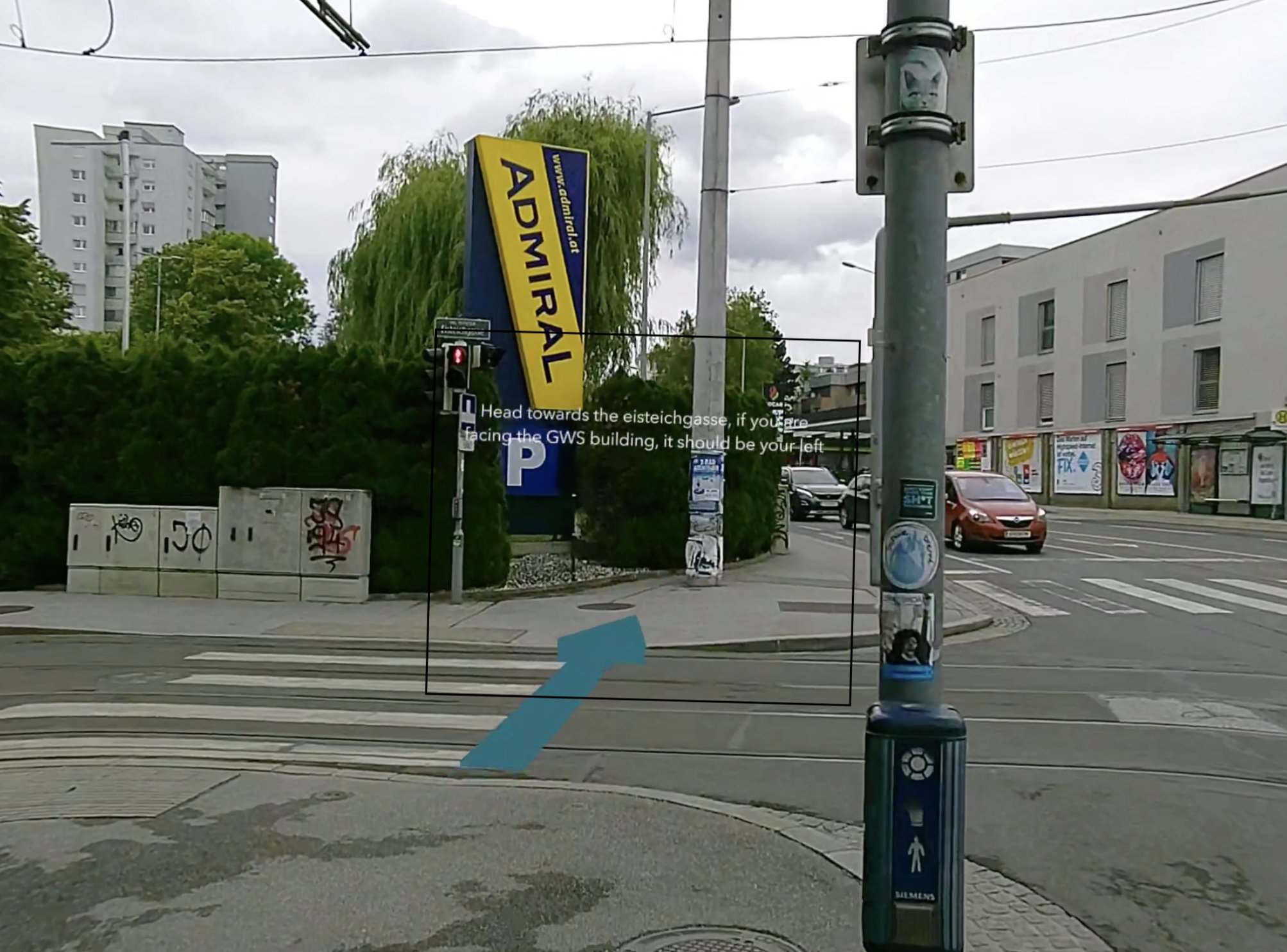
3D arrow fixed to view. A 3D arrow at the bottom of the field of vision, continuously rotating to point toward the next checkpoint. Faster to read than text, less cognitive processing required.
2D arrow in peripheral view. A 2D compass-style arrow fixed in the top-right corner. Designed to be minimally obtrusive — the user can check direction without fully shifting attention.
World-anchored arrows. Virtual arrows placed one metre above the ground at each checkpoint, fixed in real-world space. The most immersive mode — the arrows look like AR street signs rather than overlaid UI.
Minimap. A small map fixed in the user's view, with a user marker that updates in real time between checkpoints. Gives the broadest spatial context, but requires the most sustained attention.
The simulator
Testing on the actual Spectacles was slow — no logging, no error messages, crashes with no feedback. Lens Studio ships a simulator that lets you feed mock GPS coordinates and verify that the rotation and placement logic behaves correctly before putting on the glasses.
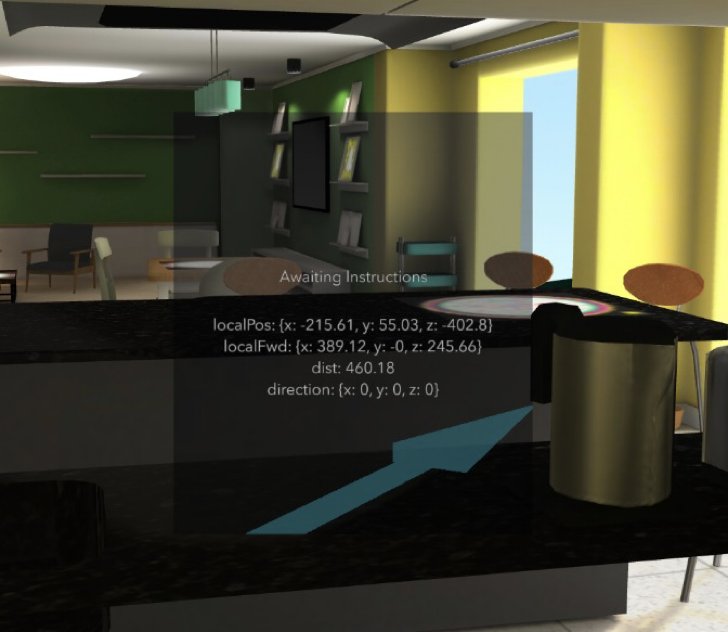
The simulator was indispensable. Without it, every iteration would have required walking the actual route.
What I found
No single mode was clearly best. Text prompts were the most reliable but required the most attention. The world-anchored arrows were the most immersive and felt the most natural, but accuracy depended heavily on GPS reliability — and consumer GPS drifts enough at pedestrian scale to matter.
Battery life was the most significant practical constraint. AR applications that run continuous GPS and keep the display active are resource-intensive. Snap's Endurance Mode (screen off during inactivity) offered marginal improvement. The device is not ready for extended real-world navigation without frequent charging.
The deeper finding was about form factor. The Spectacles look like ordinary sunglasses. That changes what navigation can be — unobtrusive, continuous, hands-free. The technical limitations are real, but the form factor argument is already proven.
Role: Solo researcher and developer — project design, system implementation in JavaScript/Lens Studio, GPS and rotation math, field testing.
Seminar paper, Institute of Computer Graphics and Vision, TU Graz, January 2025. Advisor: Dr. Alexander Plopski.